Shared sync that actually works.
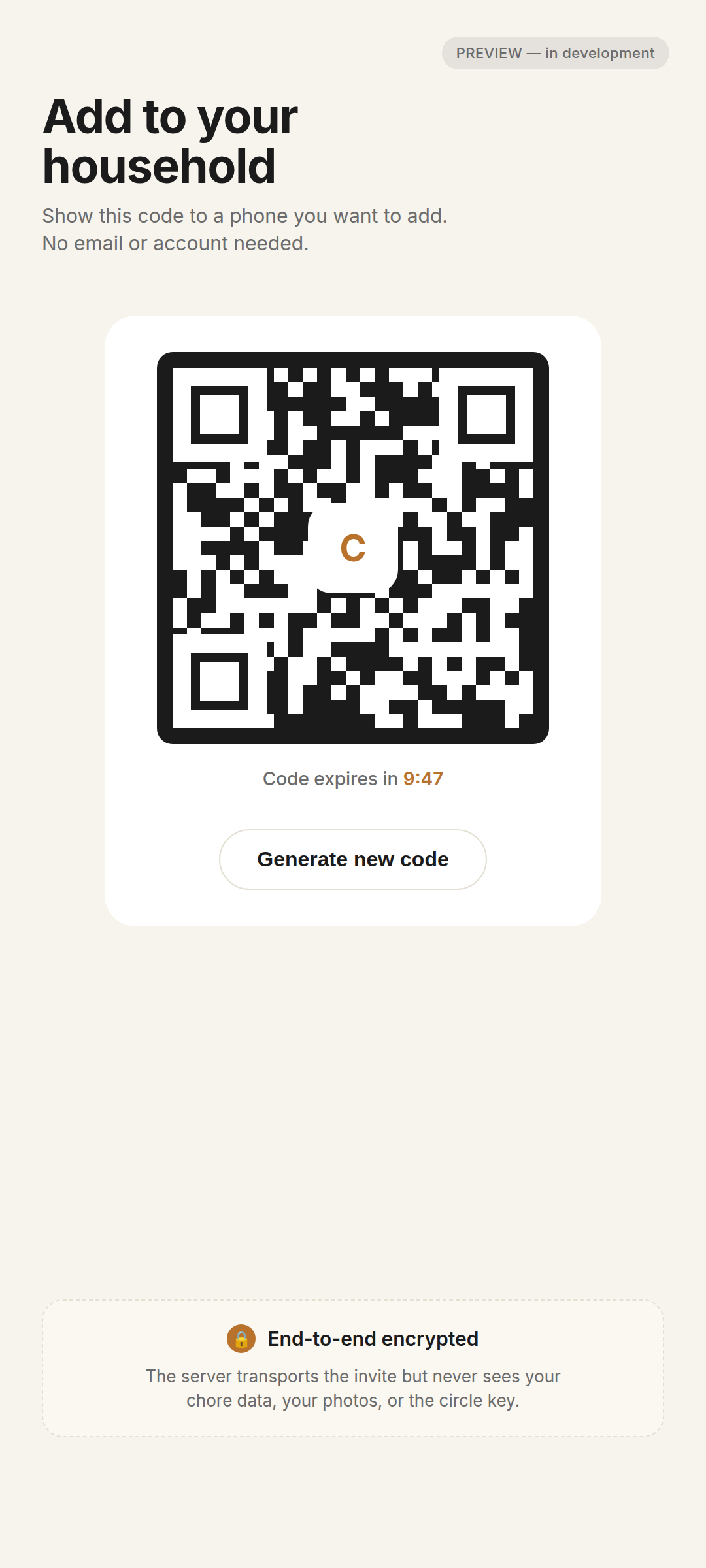
Pair phones with a QR code. No email, no password, no account. Works without Google Family Link or Family Library — pairing is direct phone-to-phone via ChoreDay itself.
ChoreDay is an Android chore tracker for couples, roommates, and adult families. Install free, pair via QR, share chores across phones.
$9.99 launch, $14.99 standard — one-time, never recurring.
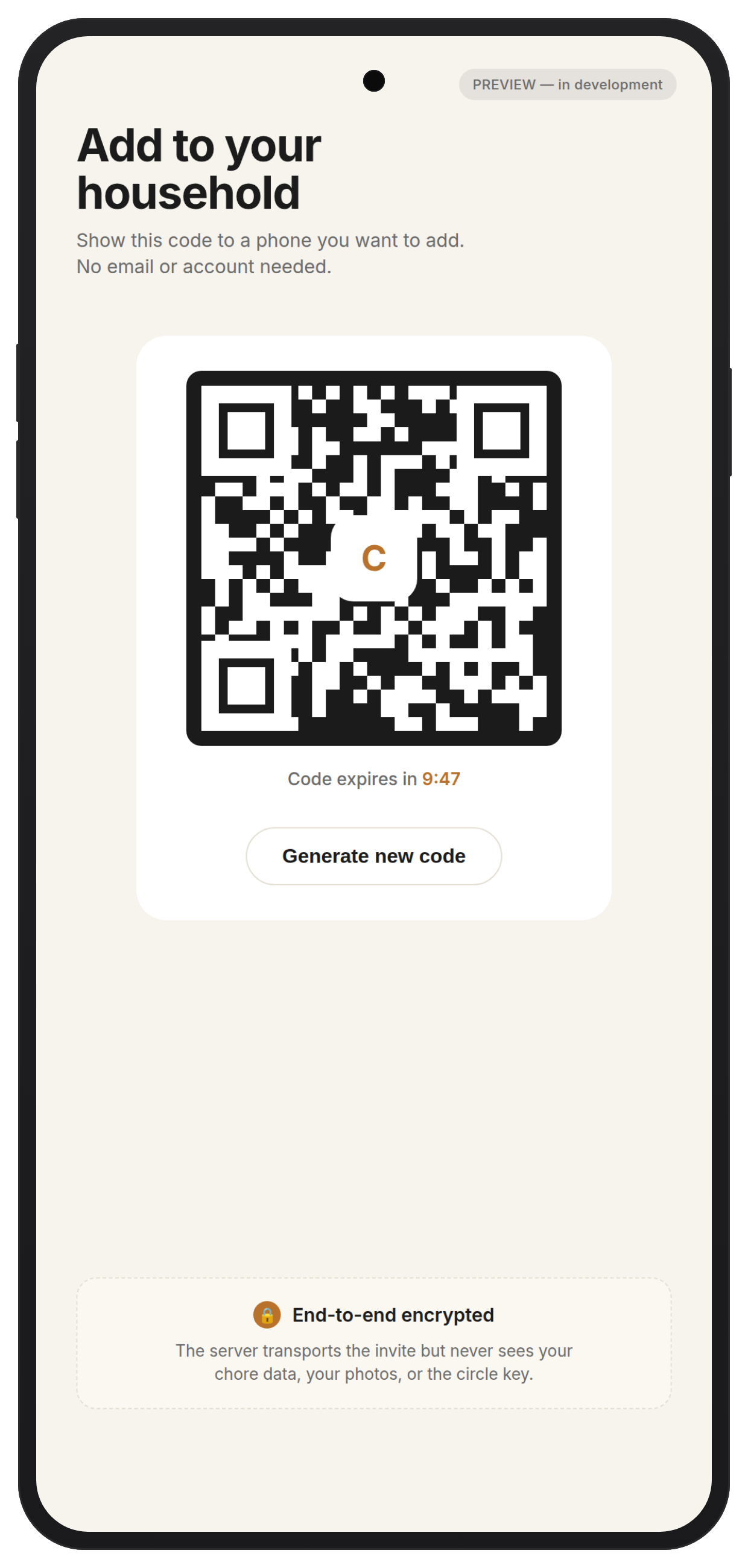
Pair phones with a QR code. No email, no password, no account. Works without Google Family Link or Family Library — pairing is direct phone-to-phone via ChoreDay itself.
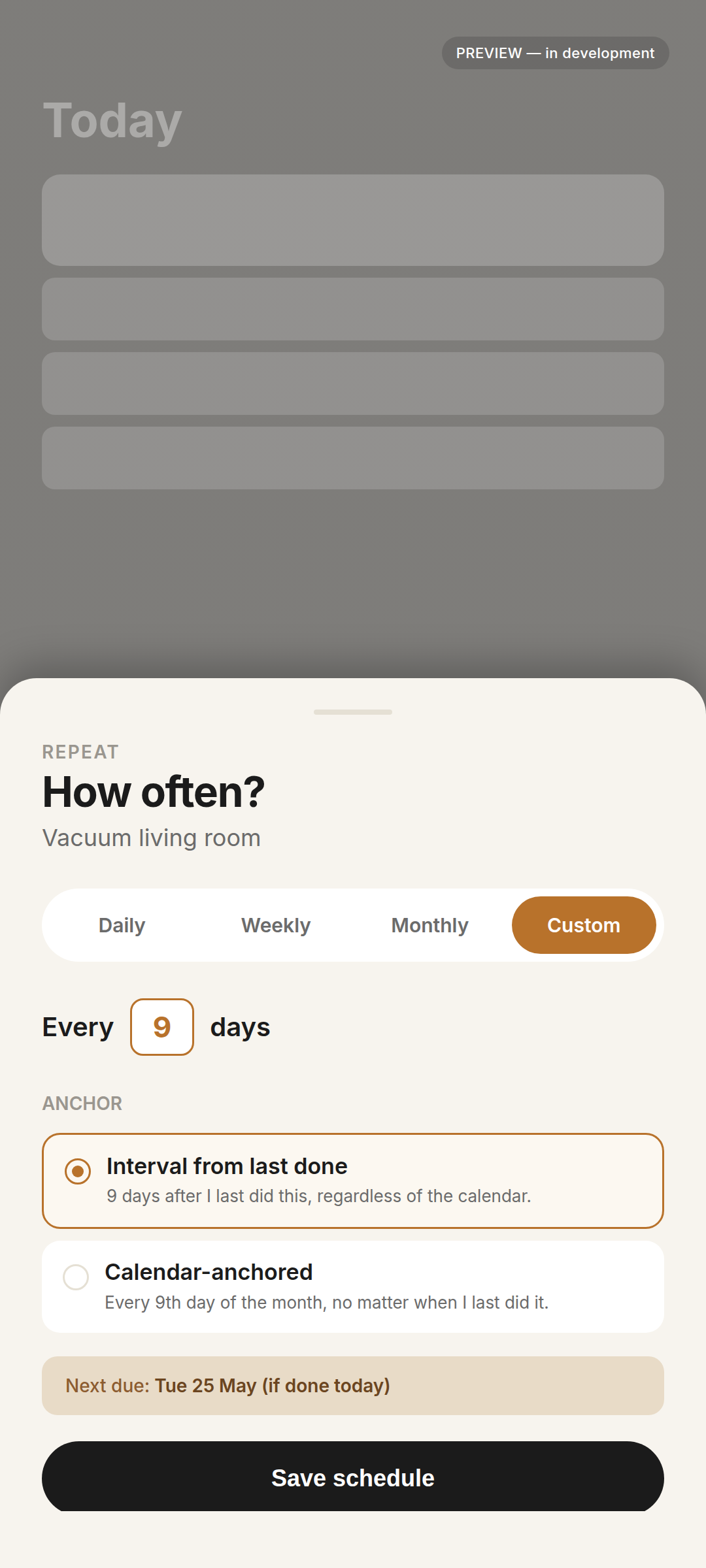
Daily, weekly, monthly, or any custom interval you make up. "Vacuum every 9 days" is a valid answer.
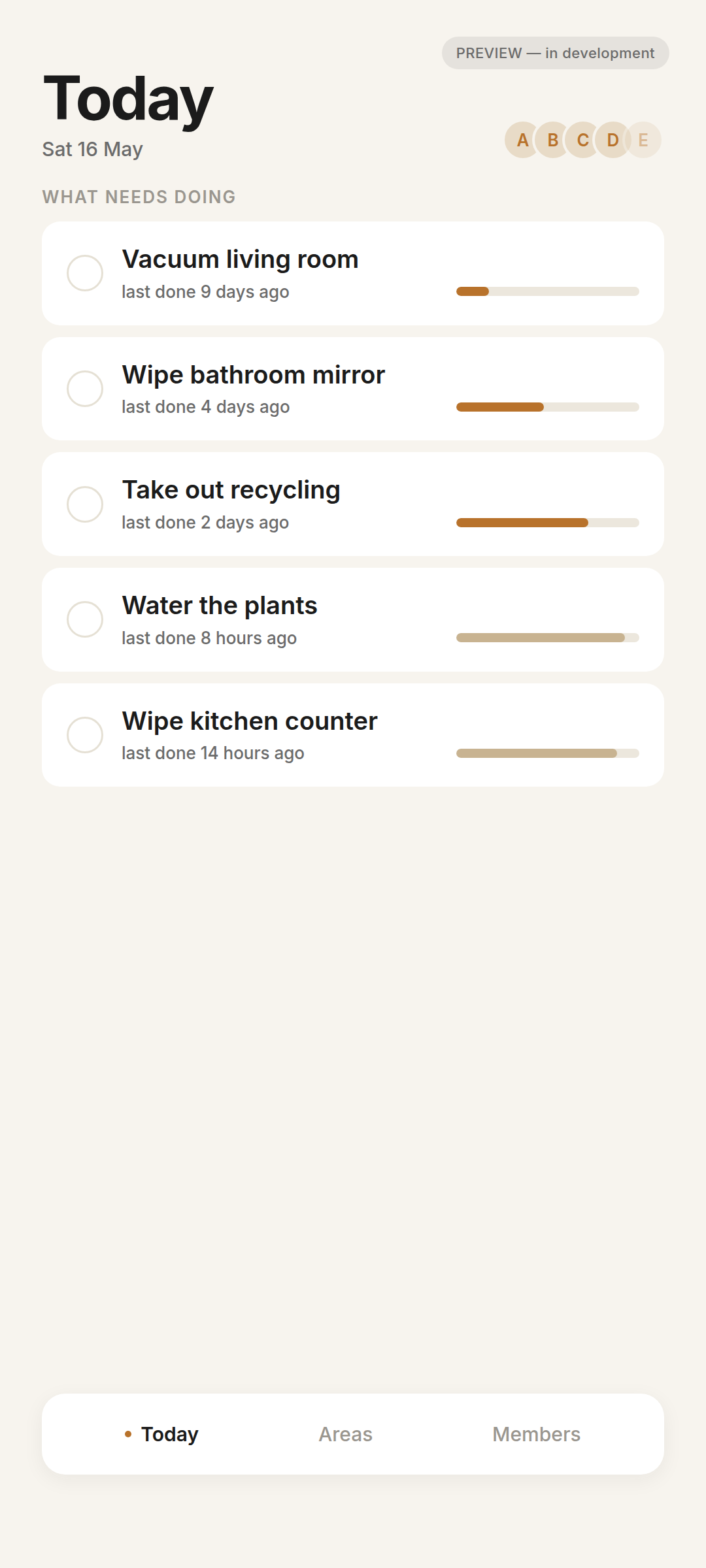
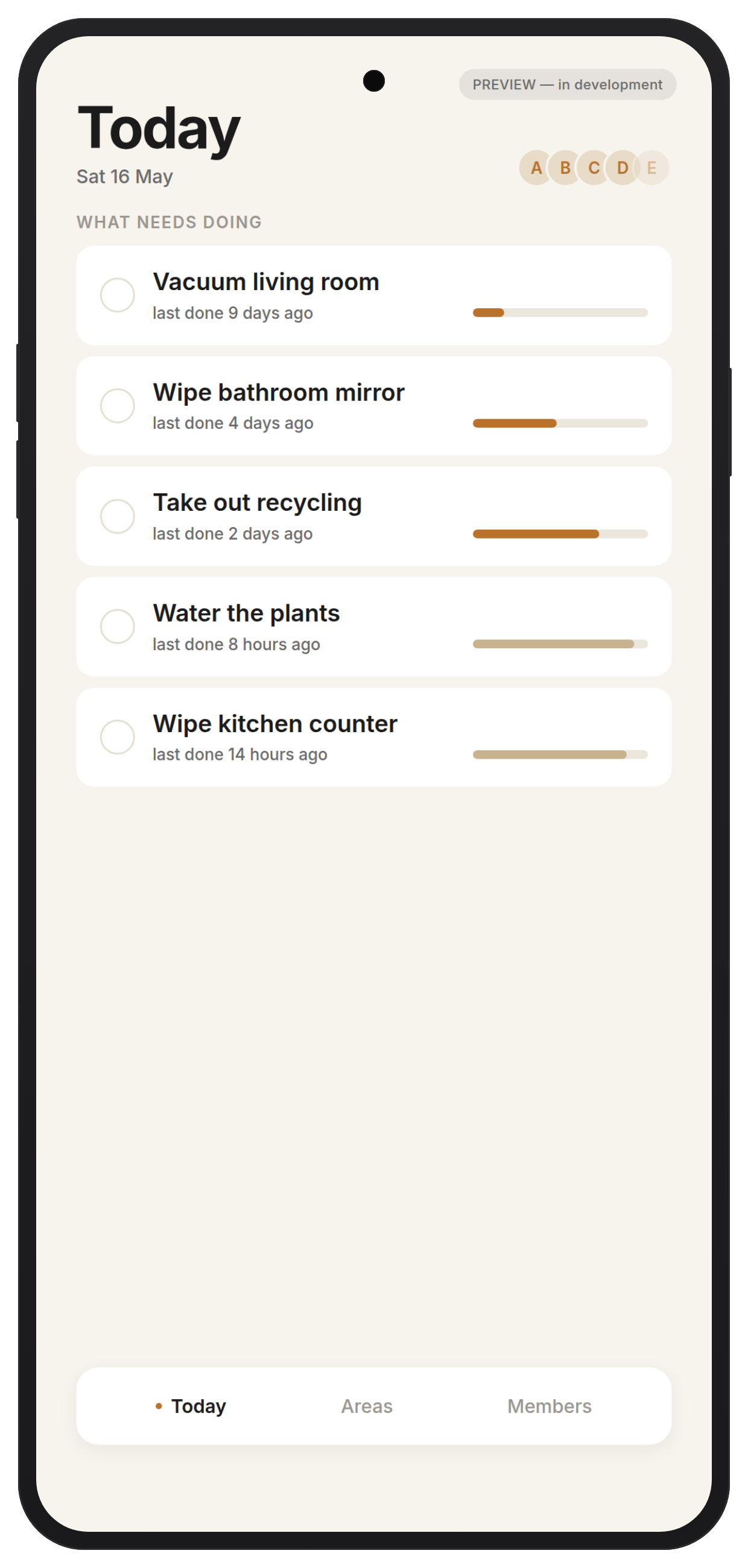
Two notifications a day, max. No streaks, no shame language, no red badges. A gentle "freshness bar" shows what needs doing.
How ChoreDay compares to the two pricing models that dominate chore apps on the Play Store today.
| Per-device subscription appse.g. $9.99/yr Solo, $29.99/yr Family | Family-subscription appse.g. $3.99/mo, $19.99/yr | ChoreDayLaunch $9.99 · Standard $14.99 | |
|---|---|---|---|
| Up-front cost | $9.99/yr per device | $19.99/yr per household | $14.99 once |
| 5-year cost · 4-person household | ≈ $200 | ≈ $100 | $14.99 total |
| Recurring billing | Forever | Forever | Never |
| Account required to use | Yes (email + password) | Yes (email + password) | No — QR pairing |
| Add a new phone to the household | Often requires a second purchase | Included for the payer's family | Free — scan a QR |
| Cancel and your data… | Stays read-only or locks | Stays read-only or locks | Nothing to cancel |
Categories describe the two dominant pricing structures in the chore-app category. Specific competitor names omitted on purpose — we'd rather earn the comparison than throw shade.
Anyone in the household can install. The app is free to download. You buy ChoreDay once when you're ready — no trial timer, no nag.
One person opens "Add member" — the next person scans the QR. The household is now shared. No accounts, no emails exchanged.
One person buys ChoreDay ($9.99 launch / $14.99 standard). Everyone in the paired household gets the full app — forever. No Google Family Library or Family Link required.
Most chore apps treat your attention like a metric. We chose the opposite defaults on purpose.
I'll email you once when ChoreDay hits the Play Store. That's it — no newsletter, no marketing emails, no resale.
Yes. The core app is a one-time purchase. The optional Plus tier (cloud backups, photo proof, etc.) is a separate yearly add-on — but you don't need it to use ChoreDay.
No. ChoreDay pairs phones directly via a QR code in the app — no Google account setup required, no "family group" eligibility rules. Works for couples, roommates, adult families, or anyone who simply shares a household.
No. Pairing happens via QR code on the device. We never ask you for an email or password to use the app itself.
Android first. iOS depends on launch traction — landing-page signups help me make that call.
Probably 3–5 months from now. You'll get exactly one launch email, and at most one follow-up if you said you'd consider Plus.
An independent Android developer who got tired of paying a monthly subscription to remember to wipe the counter.
Into a single spreadsheet I maintain. They're not shared, sold, or used for anything other than calibrating ChoreDay's launch. See privacy policy.